Video Trimmer & Cutter Online Free
Cut video clips to exact start and end times. 100% private in-browser tool by PixyTool.
Video Trimmer & Cutter
Cut and trim video clips to exact start and end times instantly in browser.
Select or drop your video to trim
Supports MP4, WebM, MOV • Cut to exact seconds locally
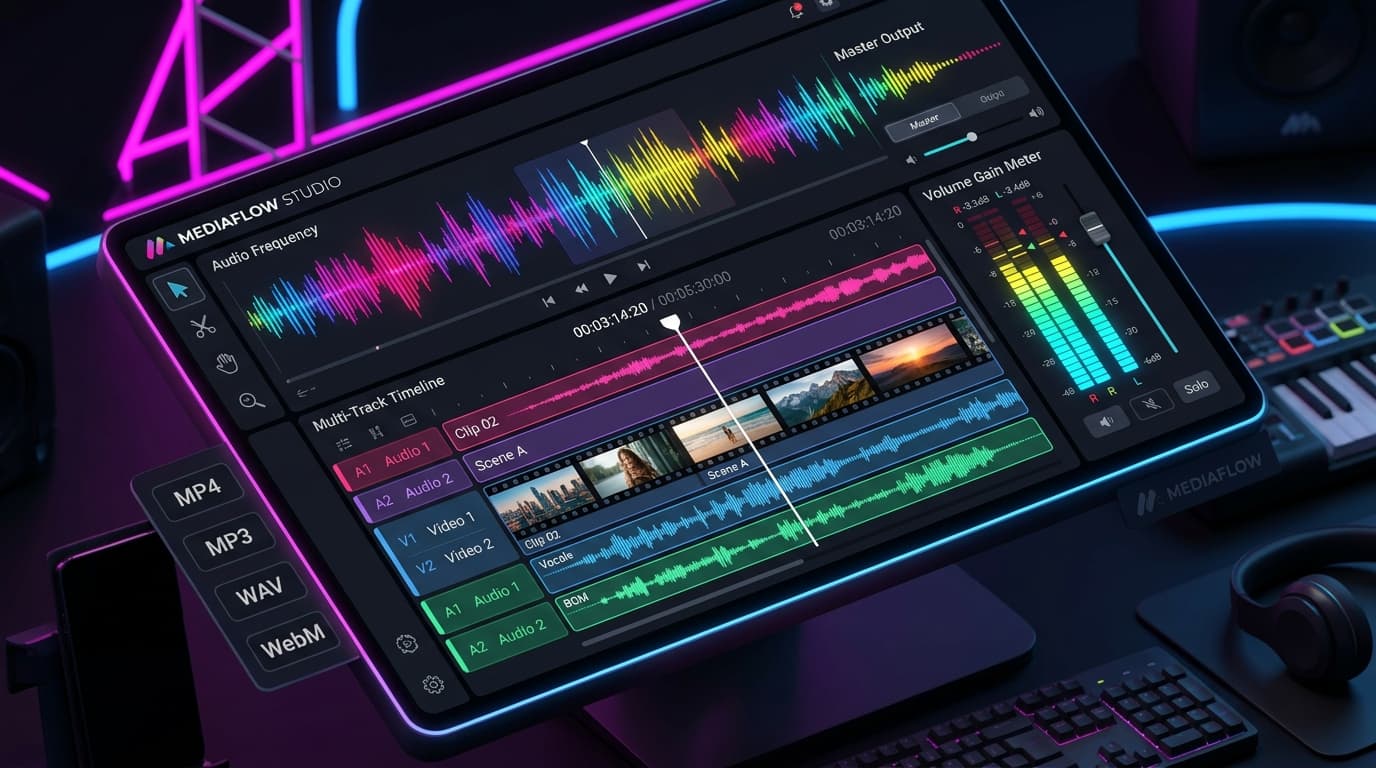
Trim Video & Inspect Audio Waveforms Smoothly
Harness modern HTML5 Canvas and Web Audio APIs to visualize waveforms, inspect video frame rates, convert audio formats, and calculate exact bitrate allocations in real-time.
Frame-Accurate Video Trimming
Scrub through filmstrip keyframes to slice video clips cleanly without server re-encoding.
Real-Time Audio Spectrum Visualizer
Render interactive frequency peaks and decibel meters directly from browser audio buffers.
Zero Large Video Upload Queues
Edit private home videos or podcast stems locally without uploading massive files to the cloud.
How PixyTool Video Trimmer & Cutter Works in 4 Simple Steps
Illustrated step-by-step workflow. Zero server delays, zero data leaks, 100% private in your browser.
Why PixyTool Is 10x Safer & Faster
See the difference between old cloud upload converters and PixyTool's zero-upload client architecture.
Traditional Cloud Converters
Remote server processing
- Uploads private documents, IDs, and signatures to third-party servers.
- Slow upload & download queues on mobile networks.
- Strict daily file quotas and aggressive subscription paywalls.
- Risk of permanent cloud storage retention or security leaks.
PixyTool In-Browser EngineRecommended
100% Client-side local execution
- Zero Server Uploads: Files never leave your browser memory.
- Instant Speed: Zero network latency, instant conversions.
- Unlimited & Free: Process unlimited files without signup or limits.
- Mobile-Optimized: Smooth touch experience across iOS & Android.
Browser-Based Video Trimming with Zero Uploads
Cut unwanted intro or outro sections from any video clip instantly without installing software or waiting for cloud processing.
Engineered for Quality & Performance
Why PixyTool Is The First Choice For Creators
Engineered specifically to solve strict upload constraints for government job forms, exam portals, web developers, and professional photographers.
Exact Target Size (100KB, 50KB, 20KB & More)
Never guess quality settings again. Select your required size (like 100KB or 50KB) and our tool automatically tunes the compression to make sure your photo fits safely under that limit.
Crystal Clear Quality (No Blurry Images)
Keep your photos sharp and clear. Our smart compressor shrinks the file size while preserving faces, document text, and signatures so they look just as good as the original.
Compress Multiple Photos & 1-Click ZIP
Compress dozens of photos at once without slowdowns. Download them individually or save everything together in one neat ZIP file with a single click.
Side-by-Side Before & After Comparison
Check the quality before downloading. Use the interactive split slider to compare your original photo and the compressed version side by side.
Convert Between Formats (WebP, JPG, PNG)
Easily convert photos between JPG, PNG, and modern WebP formats. Keep transparent backgrounds for logos or optimize photos for fast web sharing.
Instant Speed & Works 100% Offline
Everything happens directly on your device with no waiting for uploads. Once the website is opened, you can even compress images without an internet connection.
Exact Target Size (100KB, 50KB, 20KB & More)
Never guess quality settings again. Select your required size (like 100KB or 50KB) and our tool automatically tunes the compression to make sure your photo fits safely under that limit.
Crystal Clear Quality (No Blurry Images)
Keep your photos sharp and clear. Our smart compressor shrinks the file size while preserving faces, document text, and signatures so they look just as good as the original.
Compress Multiple Photos & 1-Click ZIP
Compress dozens of photos at once without slowdowns. Download them individually or save everything together in one neat ZIP file with a single click.
Side-by-Side Before & After Comparison
Check the quality before downloading. Use the interactive split slider to compare your original photo and the compressed version side by side.
Convert Between Formats (WebP, JPG, PNG)
Easily convert photos between JPG, PNG, and modern WebP formats. Keep transparent backgrounds for logos or optimize photos for fast web sharing.
Instant Speed & Works 100% Offline
Everything happens directly on your device with no waiting for uploads. Once the website is opened, you can even compress images without an internet connection.

Your Personal Photos & Documents Never Leave Your Device
Most online compressor websites upload your sensitive ID cards, signatures, and private photos to unknown remote servers. PixyTool works completely on your phone or computer. Nothing is ever uploaded, stored, or viewed by anyone.
How to Compress Images to Exact Size (Under 100KB / 50KB)
Follow these quick steps to shrink your photos to exact target sizes without sacrificing visual clarity.
Upload Your Image
Drag and drop your photos into the upload box or click to select files from your computer, phone, or tablet. You can upload single photos or dozens in bulk.
Select Your Target Size (e.g. 100KB or 50KB)
Choose one of our quick target size presets (100KB, 50KB, 20KB) or enter any custom size in KB or MB. Alternatively, switch to manual mode to adjust the quality percentage slider.
Inspect & Compare Visual Quality
Click the "Compare" button on any image card to open our interactive split before/after viewer. Verify sharpness, color accuracy, and file size savings.
Download Compressed Image or ZIP
Download individual files with a single click or hit "Download All (ZIP)" to save all compressed images packaged together in seconds.
Upload Your Image
Drag and drop your photos into the upload box or click to select files from your computer, phone, or tablet. You can upload single photos or dozens in bulk.
Select Your Target Size (e.g. 100KB or 50KB)
Choose one of our quick target size presets (100KB, 50KB, 20KB) or enter any custom size in KB or MB. Alternatively, switch to manual mode to adjust the quality percentage slider.
Inspect & Compare Visual Quality
Click the "Compare" button on any image card to open our interactive split before/after viewer. Verify sharpness, color accuracy, and file size savings.
Download Compressed Image or ZIP
Download individual files with a single click or hit "Download All (ZIP)" to save all compressed images packaged together in seconds.
Frequently Asked Questions
Everything you need to know about our image compression technology and file size standards.
Explore PixyTool Free Online Tools Directory
Quickly switch between PDF utilities, image compressors, developer tools, video processing, text tools, and calculators. All tools run 100% locally in your browser for unmatched privacy and speed.
Combine multiple PDF files into a single unified document in seconds.
Extract specific page ranges or separate all pages into individual files.
Reduce PDF file size while keeping text and illustrations sharp and clear.
Convert JPG, PNG, and WebP images into high-quality A4 PDF documents.
Compress photos to custom exact sizes (KB) or percentage with zero quality loss.
Instantly resize and compress images under 100KB for exam and job forms.
Get photos under 50KB for UPSC, SSC, state PSC, and government portals.
Compress signatures and small ID photos under 20KB with maximum clarity.
Format, beautify, validate, and minify JSON data with real-time syntax checking.
Convert plain text into Base64 strings and decode Base64 back to original text.
Decode JSON Web Tokens securely without sending sensitive tokens over the network.
Convert Epoch timestamps to human dates (UTC, local) and vice versa with live epoch clock.
Translate video dialogue into 30+ languages with matched voice tone, lip-sync pacing, and background music.
Translate spoken video audio into another language with matched vocal characteristics and timing.
Remove audio track from any video and download a clean silent MP4 file.
Convert short video clips into animated GIFs with custom FPS and resolution.
Count words, characters, sentences, and estimate reading time instantly.
Convert text to UPPERCASE, lowercase, Title Case, camelCase, and kebab-case.
Compare two texts side-by-side and highlight added, changed, and removed lines.
Convert article titles into clean SEO-friendly URL slugs automatically.
Calculate exact age in years, months, and days from any date of birth.
Calculate percentage, percentage change, and discount amounts instantly.
Add or remove GST/VAT from any price with 5%, 12%, 18%, 28% tax slabs.
Calculate monthly EMI, total interest, and loan repayment breakdown instantly.