

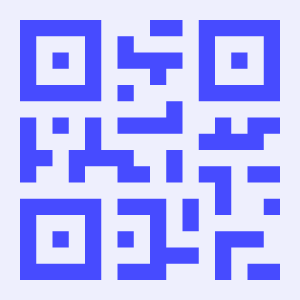
QR Code Generator
Generate QR code for your links or texts easily and download them as an image file
Create a QR code for any link or text
100% Client-Side PrivacyType or paste a URL or any text and the QR code appears instantly. Change the code colour and the background, choose the resolution you need and download a high-resolution PNG for print or screens.
This is a static QR code: the link or text is encoded directly into the image, with no redirect and no account, so a downloaded code keeps working for as long as the destination exists.
The code image is rendered by a third-party QR image service, which means the text or link you enter is sent to that service to create the picture. Do not enter passwords or other private information.
Before you print, test the code with a phone camera, keep strong contrast between the code and the background and leave a clear border around it.
Where QR codes are used
- Menus, flyers, posters and business cards
- Wi-Fi, event and website links
- Product packaging and labels
- Slides and handouts that point to a web page
How to use QR Code Generator online for free
- 1Provide your input: Select, upload, or paste your file or text into the interactive QR Code Generator workspace above.
- 2Adjust parameters: Customize your preferred options, formatting rules, quality sliders, or conversion preferences.
- 3Inspect instant preview: Review the high-fidelity output rendered immediately in your browser with zero latency.
- 4Save or copy: Click download to save your processed file or copy the generated text to your clipboard.
Frequently Asked Questions about QR Code Generator
Q:How do I make a QR code?
Enter your link or text, pick the colours and size, and download the PNG.
Q:Do the QR codes expire?
No. A static code contains your content directly, so it does not depend on a subscription. It stops working only if the destination page is removed.
Q:Is my link sent to a server?
Yes. The code image is created by a third-party QR image service, so the text you enter is sent to it to render the picture. Do not use the tool for passwords or private data.
Q:Can I change the colours?
Yes. Change the code and background colours, and keep strong contrast so phones can scan it.
Q:Is it free for commercial use?
Yes. It is free, with no sign-up and no watermark.
Similar Miscellaneous Tools

Online Scoreboard
Keep score for games, quizzes and sports on a big board: teams, rounds, a target score, a clock and full screen
Graph Paper Generator
Printable square, dot, isometric, hexagon, lined and polar paper in mm or inches, as a vector PDF

Seating Chart Maker
Drag guests or students to seats at round tables, long tables or desks, or seat everyone at random with keep-apart rules

White Elephant Game
Run a white elephant gift swap: a random order, open or steal on each turn, frozen gifts, no steal-backs and a final swap