

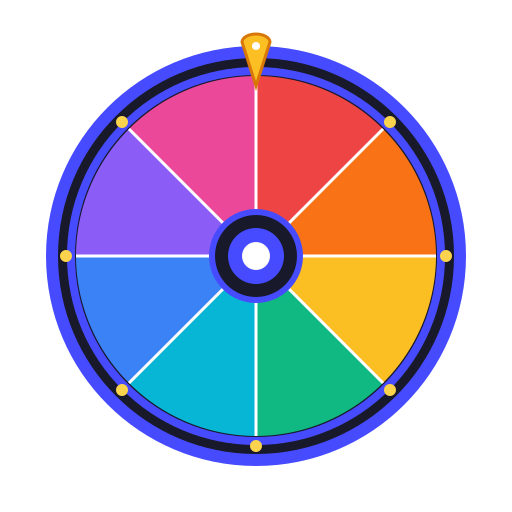
Wheel of Names
Free random name picker and decision spinner wheel with realistic 60FPS physics, sound effects, celebration confetti, and full-screen mode
Spin the wheel to pick a name or make a decision
100% Client-Side PrivacyAdd names or options, press Enter after each one, and spin. The wheel lands on a random entry and announces the winner, and you can spin again or remove the winner and keep going.
Quick presets give you a start for common jobs: classroom students, dinner decider, raffle and giveaway, yes or no, and truth or dare. Shuffle the list, sort it A to Z, remove entries, mute the sound and use fullscreen for classrooms, meetings or live streams. Press the space bar to spin.
It runs in your browser, with no account needed.
Ways people use the wheel
- Teachers choosing who answers next
- Giveaways and raffles on a stream
- Deciding where to eat or what to watch
- Team games, truth or dare and icebreakers
Helpful guides
 New Year's Eve Party Games and Ideas for 2027: Fun for Families, Friends and OfficesEasy New Year's Eve games and activities for every kind of party, from countdown traditions to resolution bingo, with free tools to run them.
 How to Pick a Random Winner Fairly: Giveaways, Raffles, Classrooms and Draft OrdersWhether it is an Instagram giveaway, an office raffle or a fantasy league draft, here is how to choose a winner that is truly random and looks fair to everyone watching.
How to use Wheel of Names online for free
- 1Provide your input: Select, upload, or paste your file or text into the interactive Wheel of Names workspace above.
- 2Adjust parameters: Customize your preferred options, formatting rules, quality sliders, or conversion preferences.
- 3Inspect instant preview: Review the high-fidelity output rendered immediately in your browser with zero latency.
- 4Save or copy: Click download to save your processed file or copy the generated text to your clipboard.
Frequently Asked Questions about Wheel of Names
Q:How do I use the wheel of names?
Type each name or option and press Enter, then click spin or press the space bar. The wheel stops on a random entry.
Q:Is the result random?
Yes. Each entry has an equal chance and there is no way to favour a name.
Q:Can I remove a winner and spin again?
Yes. You can spin again, or remove entries from the list to keep the draw going until everyone has been picked.
Q:Can I show it on a big screen?
Yes. Use the fullscreen button for classrooms, meetings and streams.
Q:Is it free?
Yes. It is free and needs no sign-up.
Similar Miscellaneous Tools

Online Scoreboard
Keep score for games, quizzes and sports on a big board: teams, rounds, a target score, a clock and full screen
Graph Paper Generator
Printable square, dot, isometric, hexagon, lined and polar paper in mm or inches, as a vector PDF

Seating Chart Maker
Drag guests or students to seats at round tables, long tables or desks, or seat everyone at random with keep-apart rules

White Elephant Game
Run a white elephant gift swap: a random order, open or steal on each turn, frozen gifts, no steal-backs and a final swap